
DigiSevak by AISanchaya™
Give your business a talking AI avatar and a chatbot that works for you
Answer questions, capture leads, and book appointments — in Indian languages, with a simple plug-and-play setup.
Common questions
Straight answers about the avatar, chatbot, and webpage — so you can decide with confidence.
Can the AI avatar speak in more than one language?
Can I register more than one avatar?
Do I need programming skills to add the avatar to my website?
Can I temporarily remove the avatar from my site?
Can I control what the avatar says?
Can I change how the avatar looks or what it says later?
Examples of avatar look revisions from a casual photo to a professional style:
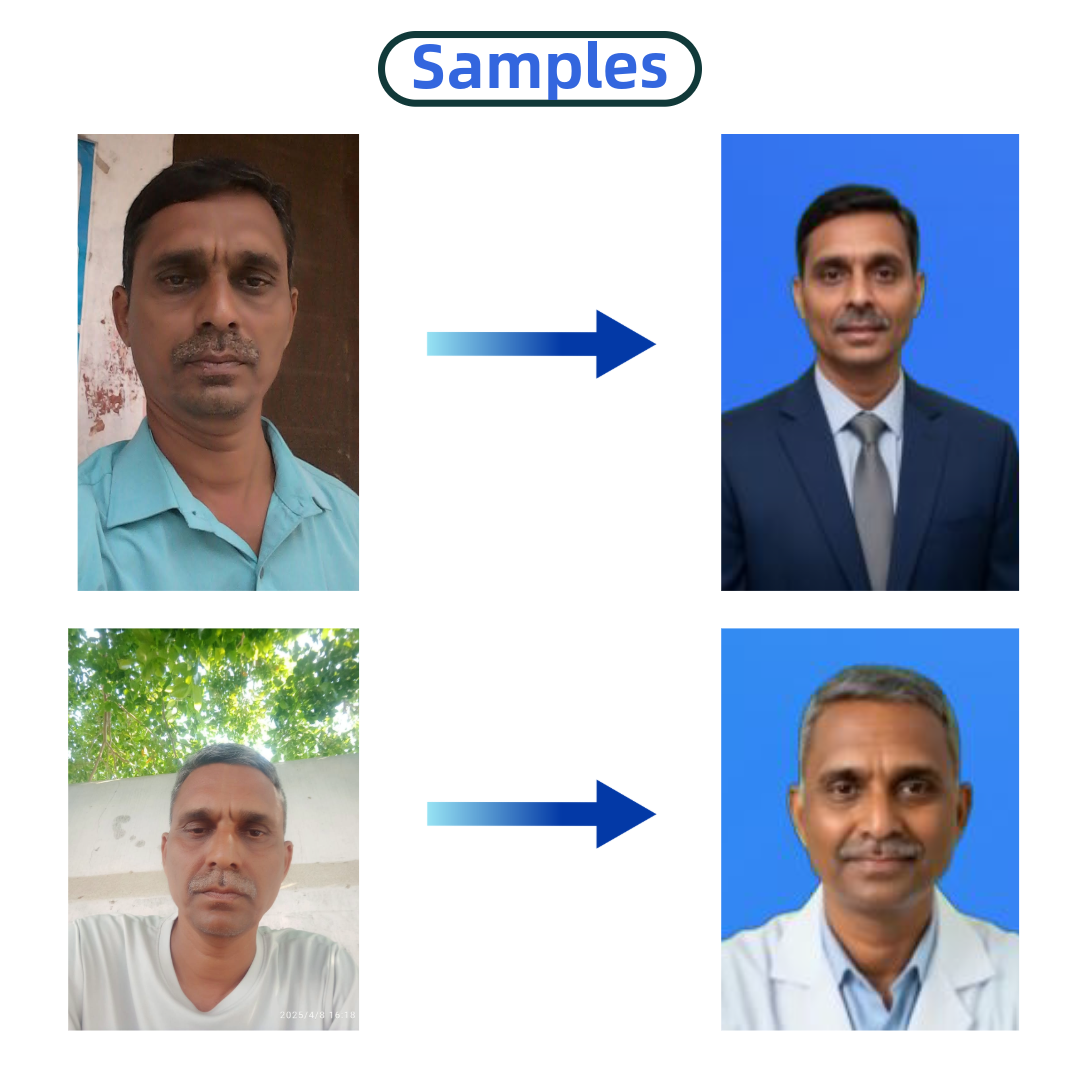
See these styles live in our demos:
Can my avatar answer any customer question?
Can the chatbot answer any question?
How do I see who has chatted with my business?
Can I define which appointment slots are available?
What if two customers try to book the same slot?
Can I change the chatbot conversation flow myself?
I already have a website. Do I need the DigiSevak webpage?
I do not have a website. What URL will I get?
Can the DigiSevak webpage take payments or run a shopping cart?
What can I manage on my DigiSevak webpage?
Can my webpage support multiple languages?
Which plan is good for me?
Answer a few quick questions. We will recommend the plan that fits how you run your business today.
Step 1
Do you already have a website?
DigiSevak embeds on your site with one line of code. If you do not have a site yet, we will recommend a DigiSevak webpage plus the right chatbot plan.
Step 2 of 3
Do you already have a chatbot on your website?
If you already capture chats elsewhere, the Avatar plan may be all you need for a warm digital welcome.
Step 3 of 3
What do you need the chatbot to do?
Basic collects visitor info and requirements. Enhanced adds appointment bookings and choice-based branching.